fbpx

⚡ One-Click in PMEVC: Release + Save Dependencies Instantly!

Loading

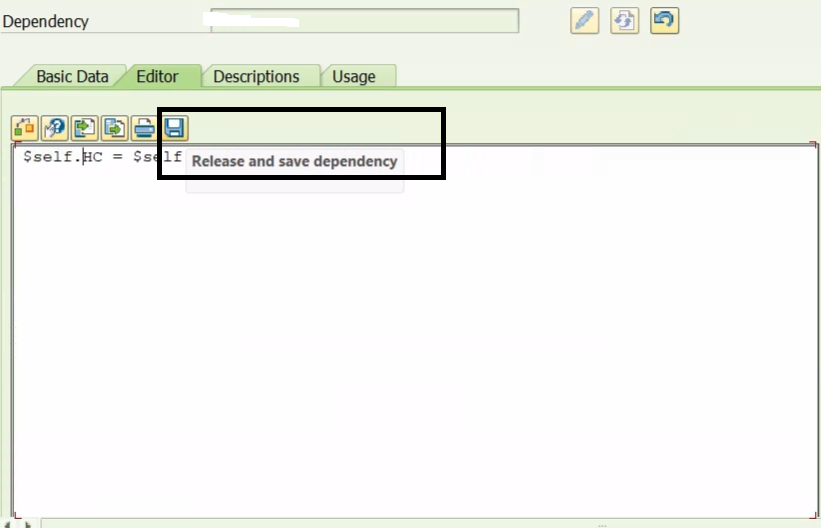
SAP has introduced a small but powerful improvement in PMEVC — a new toolbar button that lets you release and save a dependency in a single click. This gives a  Cleaner navigation experience in PMEVC  and Reduced clicks + Time saving No more jumping to the Basic Data tab. No more extra navigation. Just clean, fast modeling!


🔍 What’s New? (Simplified)

🆕 New toolbar button

  • Release + Save dependency at once

Works for both:

  • 🔸 Local dependencies
  • 🔸 Global dependencies

⏱️ No more tab switching

  • Skip the Basic Data tab completely
  • Smoother, faster modeling
    workflow

💡 Perfect for AVC consultants working with frequent dependency updates.


 If you work with dependencies daily, activate this note and upgrade your modeling speed instantly.

Need help refining dependencies or optimizing AVC design? Feel free to reach out!

Note:  3486340 – PMEVC: Release and save dependency at once


#SAPAVC #VariantConfiguration #SAPS4HANA #PMEVC #SAPDependency #SAPConsulting #AVCExpert #SAPManufacturing #SAPTips #SAPNote


🚀 PMEVC: Download Variant Tables with Multi-Value Cells!

Loading

Great news for all AVC modelers and PMEVC users — SAP has enabled downloading variant tables even when they contain multi-value cells, thanks to SAP Note 3547198. This removes one of the biggest limitations in variant table handling.

🔍 What’s New? (Simplified)

📥The variant table content is downloaded as an xlsxfile.

 📄Values contained by multi-valued entries are downloaded with a line break as a seperator.

 🔢Numeric values are converted from user setting format to internal format, e.g., 1.234,567 -> 1234.567, 300,0000E-06 ->

0.0003.

 ✨If available, wildcards in variant tables of processing mode ‘Advanced Variant Configuration’ are downloaded as blank cells.

 🖥️The characteristic values are downloaded depending on the selected display setting in PMEVC, i.e. values or descriptions. In case of display setting ‘Descriptions’, only characteristic value descriptions are downloaded as such, characteristics will still be displayed as value.

  💡 Why This Matters

Faster copying,
editing, and validating large variant tables

➜ Better performance, less manual clean-up, and improved model quality.

If you work with AVC tables, implement SAP Note 3547198 and
start downloading your variant tables without restrictions. Need help optimizing your AVC setup? Reach out — happy to guide you!

#SAPAVC #VariantConfiguration #SAPS4HANA #PMEVC #SAPConsulting #SAPManufacturing #SAPFunctional #SAPTips #SAPNotes #AVCExpert

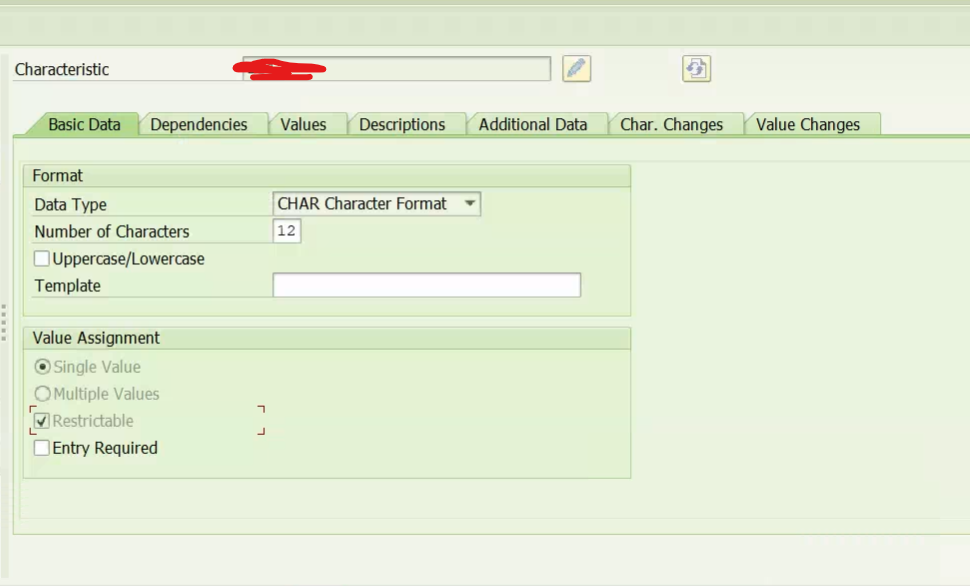
🚦 SAP S/4 HANA – AVC: Now You Can Edit the Restrictable Flag!

A small improvement for anyone working with PMEVC and characteristic modeling in SAP S/4HANASAP now allows changing the Restrictable flag for

existing characteristics — with important conditions.

🔍 What’s New?

  • ✔️ The Restrictable flag is now editable after characteristic creation
  • ✔️ By default, PMEVC sets the flag as Restrictable when creating characteristics
  • ✔️ Previously, this was locked and couldn’t be modified later
  • ✔️ SAP Note 3645148 now enables the change — but only when conditions are met

Conditions to Modify the Restrictable Flag


  • 🔸 The characteristic is NOT used in any released dependency
  • 🔸 Additional Values is NOT active in the value domain

📌 Reference: SAP Note 3645148 – PMEVC: editing of restrictable flag after creation of characteristic

If you’re working on AVC modeling, review your characteristics and check if this update can simplify your current project.


#SAPAVC#VariantConfiguration #SAPManufacturing #SAPConsulting #S4HANA #PMEVC #SAPNotes
#AVCExpert #SAPTips #SAPCommunity

How to find the odata errors in SAP S/4HANA

Loading


Check OData Error Logs in /IWFND/ERROR_LOG

  • Steps:
    1. Execute the transaction /IWFND/ERROR_LOG in the SAP GUI.
    2. Use filters such as User, Date/Time, or Service to narrow down the results.
    3. Check the error details for further analysis.
  • Error Analysis:
    • Analyze the error codes and messages.
    • Inspect the stack trace for technical details.
    • Often includes information about missing authorizations, incorrect URIs, or payload issues.

Advanced Variant Configuration screen does not open in classic SAPGUI transactions

The Advanced Variant Configuration screen does not open in classic SAPGUI transactions (e.g. Sales Order processing) and shows an error page or an empty screen or an error message that some requests were not successful in case the S/4HANA embedded Fiori deployment option is used, which means S/4HANA backend and Fiori frontend server system are the same.

Another issue is that a logon page comes up in SAPGUI for Windows when opening the Advanced Variant Configuration screen in case the S/4HANA embedded Fiori deployment option is used.

The reason for the issue in the Advanced Variant Configuration screen is that an origin URL parameter is added to the OData requests sent to the SAP Gateway system, which is prohibited by SAP Gateway in the Co-Deployment scenario.

The logon page issue happens because in SAPGUI for Windows, the SSO logon cannot be established the same way as when accessing the system via Fiori Launchpad and embedded SAPGUI for HTML; instead, a ticket-based logon using special capabilities of the SAPGUI HTML Viewer control is used.

Refer the Notes: 2916536-2916536 – SSO and OData Issue Fix for Advanced Variant Configuration


Advance Variant Configuration(AVC) & VCH_HL_AFL_CHECK

Loading

⚡Advance Variant Configuration(AVC) &VCH_HL_AFL_CHECK⚡

🎯  As we know the AVC has to be installed after the S4 Hana has been installed. This can be part of your upgrade or even for new installation

🎯 It is always important to evaluate if all the Technical Pre-Requisites are completed correctly

🎯 This is completely as Technical task for validation but still it is good for the Functional consultants also to be aware of this Pre-Requisites.

🎯 SAP has provided a standard report -VCH_HL_AFL_CHECK which will help you to execute and confirm the same.

🎯 There are parameters which are more technical but the important part is you should be getting a  message -“Procedure Called Successfully” in Green Highlighted color. This confirms that the technical pre-requisites are installed correctly.

Material and Class Linkage Details-1

In case if you are looking for solution of extracting the assignment of the Class data in SAP Using Standard Transaction, then below will be helpufl

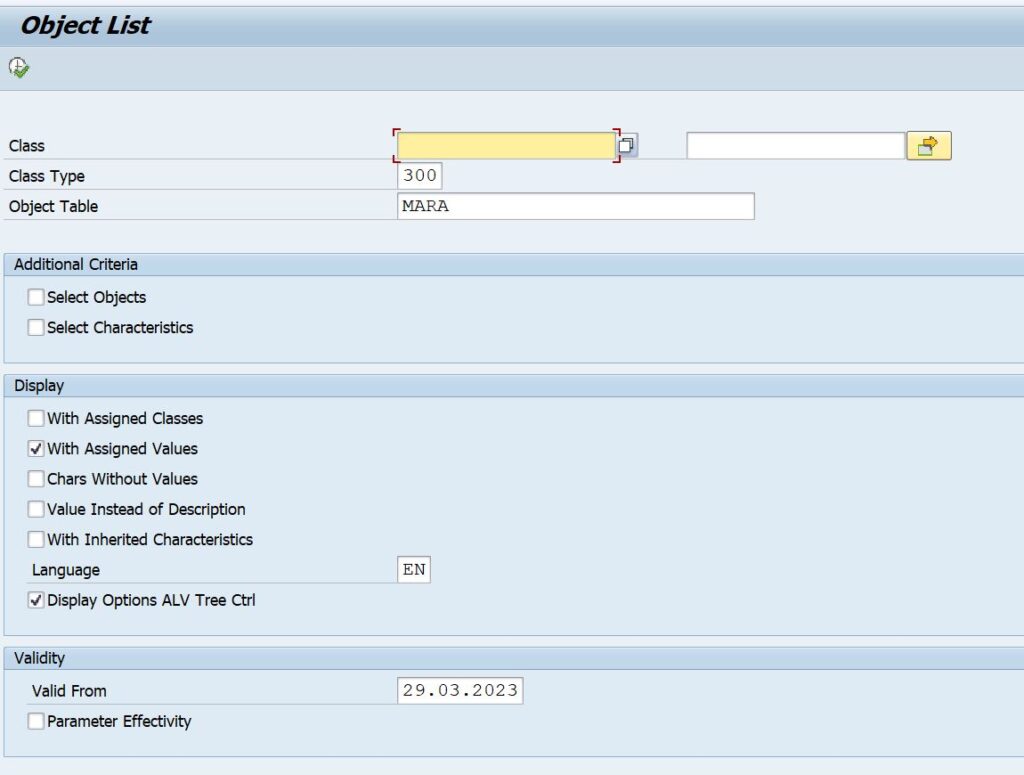
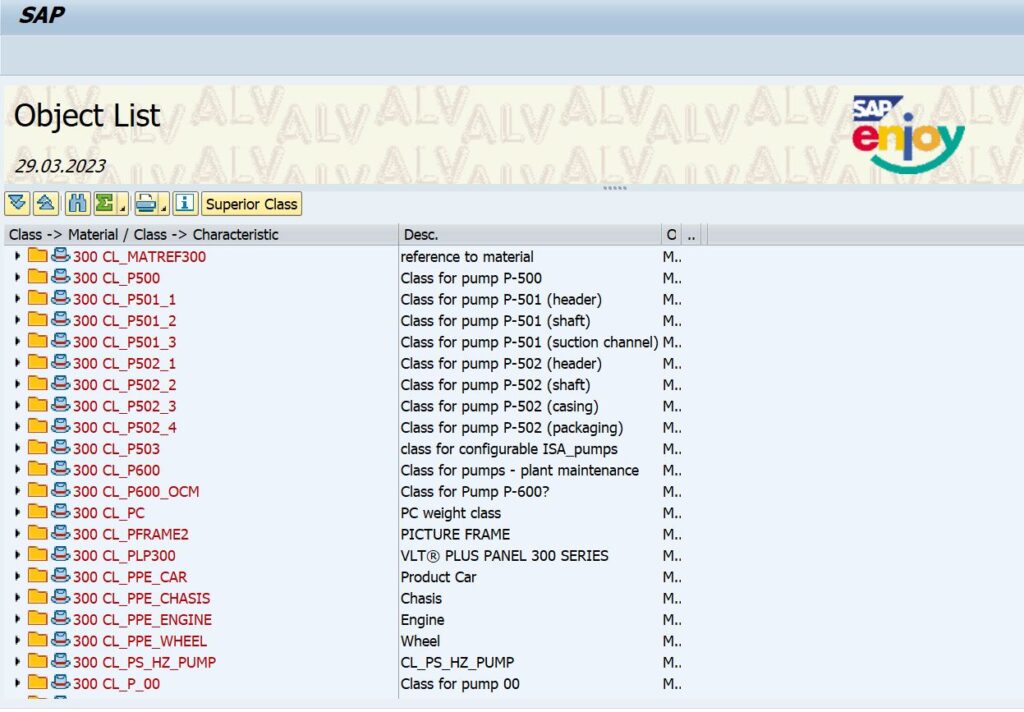
Option 1:  Use the Standard Code  – CL6B – Object List 

This gives you List of Classes and the objects ( materials) assigned to it

Option 2:  Use the Standard Code  – CL6BN – Object List 

This gives you List of Classes and the objects ( materials) assigned to it in ALV Format.


The only challenge is in case if you need analzyse, the output when we save in exce l is not user friendly as it comes in a nested structure.

To avoid this we should try to extract the data from the SAP tables, will post as a separate thread.

Sales order Creation with Variant Configuration

The creation of sales order with variant configuration characteristics will be a little tricky one.
we have to use the below  Function module(FM) –
For Creation : SD_SALESDOCUMENT_CREATE
For Changes: SD_SALESDOCUMENT_CHANGE
 
one of the advantage of using this FM is that this will support all document types like Sales order, Scheduling agreements, Customer independent Requirements.

In the following section we will see the usage of this FM to create a simple Customer Independent requirement (MD81) with the variant configuration values passed on to the same.The below are the fM structure you need to work with


ORDER_HEADER_IN
ORDER_ITEMS_IN
SALES_SCHEDULES_IN
SALES_CFGS_REF
SALES_CFGS_INST
SALES_CFGS_VALUE

ORDER_HEADER_IN:


StructureFieldValueLogic
ORDER_HEADER_INREFOBJTYPEBUS2032Fixed
 REFOBJKEYRAMIRO1Fixed
 DOC_TYPE`01Fixed

ORDER_ITEMS_IN


StructureFieldValueLogic
ORDER_ITEMS_INITM_NUMBER10Fixed
 HG_LV_ITEM0 
 PO_ITM_NO10Fixed
 MATERIAL Dyanamic
 PLANT Dyanamic
 TARGET_QTY Dyanamic
 REQMTS_TYPKEKFixed
 MATERIAL_LONG Dyanamic

Note: In this structure the “common mistake” most of them do is not filling in the po_itm_no- if this is not filled then the SO will not be created with the characteristics values

SALES_SCHEDULES_IN

Structure Field Value Logic
SALES_SCHEDULES_IN ITM_NUMBER 10 Fixed
  SCHED_LINE 1 c
  REQ_DATE   Dynamic
  REFOBJKEY RAMIRO1 Fixed

SALES_CFGS_REF

Structure Field Value Logic
SALES_CFGS_REF POSEX 10 Fixed
  CONFIG_ID `000001 Fixed
  ROOT_ID `00000001 Fixed
  COMPLETE T Fixed
  CONSISTENT T Fixed
  CBASE_ID_TYPE G Fixed

SALES_CFGS_INST

Structure Field Value Logic
SALES_CFGS_INST CONFIG_ID `000001 Fixed
  INST_ID `00000001 Fixed
  OBJ_TYPE MARA Fixed
  CLASS_TYPE 300 Fixed
  OBJ_KEY   Dynamic-This will be Material Number
  OBJ_TXT    
  QUANTITY 10 Dynamic
  QUANTITY_UNIT TO Fixed
  COMPLETE T Fixed
  CONSISTENT T Fixed
  OBJECT_GUID   Dynamic-This will be Material Number
  PERSIST_ID_TYPE G Fixed

SALES_CFGS_VALUE

Structure Field Value Value Value
SALES_CFGS_VALUE CONFIG INST_ID CHARC VALUE
  `000001 `00000001 Charcteritics 1 Value 1
  `000001 `00000001 Charcteritics 2 Value 2
  `000001 `00000001 Charcteritics 3 Value 3

Variant Configuration – ALE Message Types

If you are working in a Variant configuration environment, then one of the best practices to transfer the VC – Master data between the Clients / Box is to use the ALE Methods.

The below list of message types can be a quick reference for Inward / Outward.

Outward:
MATMAS – Material master
BOMMAT -BOMs: Material BOM
CHRMAS -Class system: Characteristics master
CLFMAS -Class system: Classification master
CLSMAS -Class system: Classes master
CNPMAS -Configuration profile
DEPNET -DEPNET
ECMMAS-Engineering Change Management
KNOMAS -Global object dependencies

UPSMAS -ALE Distribution Unit (MASTER)
VFNMAS -Variant function
VTAMAS -Structure of the variant table
VTMMAS -Contents of variant table

INWARD:

MATMAS -MATM -Material Master
BOMMAT -BOMM -BOMs: Material BOM
CHRMAS -CHRM -Class system: Characteristics master
CLFMAS -CLFM -Class system: Classification master
CLSMAS -CLSM -Class system: Classes master
CNPMAS -CNPM -Configuration profile
DEPNET -DEPN -DEPNET
ECMMAS -ECMM -Engineering Change Management
KNOMAS -KNOM -Global object dependencies

UPSMAS -UPSM -ALE Distribution Unit (MASTER)
VFNMAS -VFNM -Variant function
VTAMAS -VTMAM Structure of variant table
VTMMAS -Contents of variant table

Variant Configuration – Formal Parameter not valid

Error Message: E28086 Formal parameter MATERIAL_XX not valid for: ZVC_XXX_YYY (Line 1)

Generally to read a value from the table we will define the C’stics from table and the C’stics from the class.

LHS = RHS

On LHS= we will be giving the Table Characteristics value

and on RHS = We will be giving the value from the Variant class.

In case if you are maintaining a DB link to the VC table, then more attention to be given to the C’stics when procedure is created.

Here you should ensure that we are giving the C’stic value from the Class and not the table. If we make any mistake then the Error E28086 bound to Happen.